How it works
One gesture, in any app
Turn the handle on
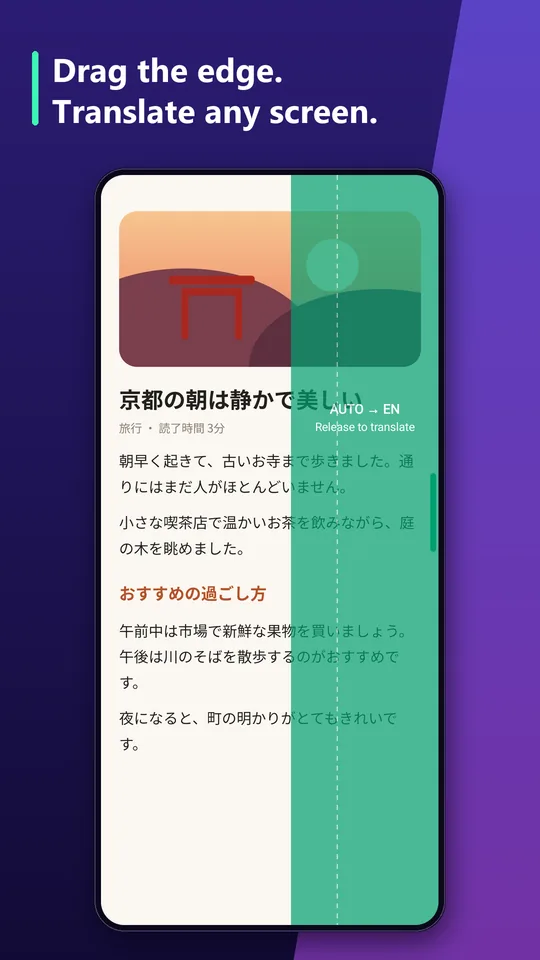
Pick your languages in the app and switch the handle on. A slim bar appears on the screen edge, on top of every app.
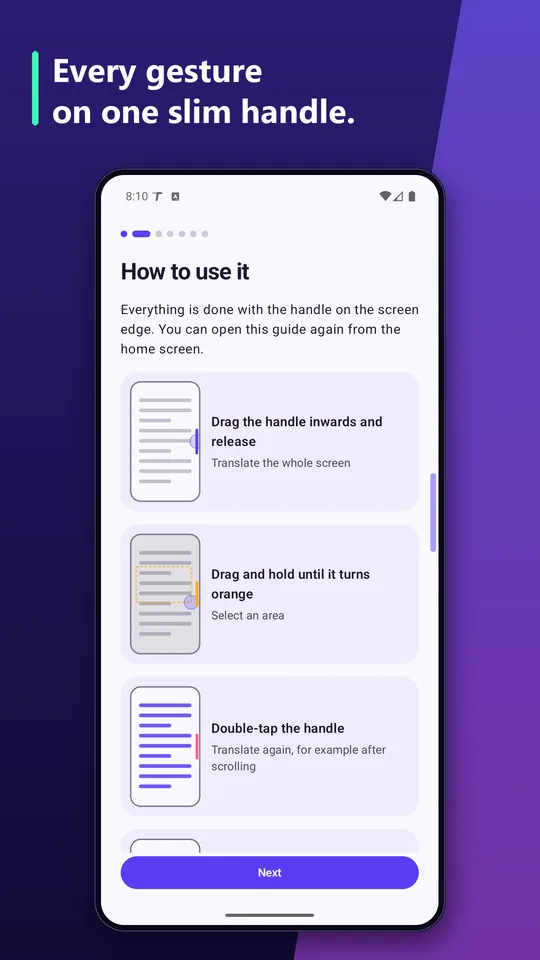
Drag it inwards and release
The app reads the screen only at this moment. Nothing is watched between gestures.
Read it in place
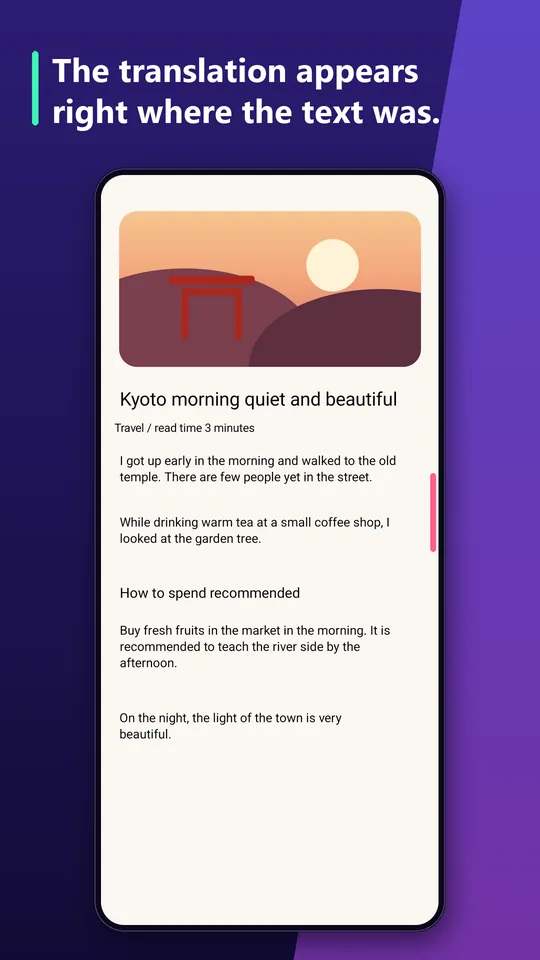
The translation covers the original text. Tap a box to see the original and copy it. Tap beside the boxes to close.
Features
What it can do
The whole screen
One drag translates everything that is visible.
A selected area
Drag and hold until the handle changes colour, then mark the part you need.
Live mode and subtitles
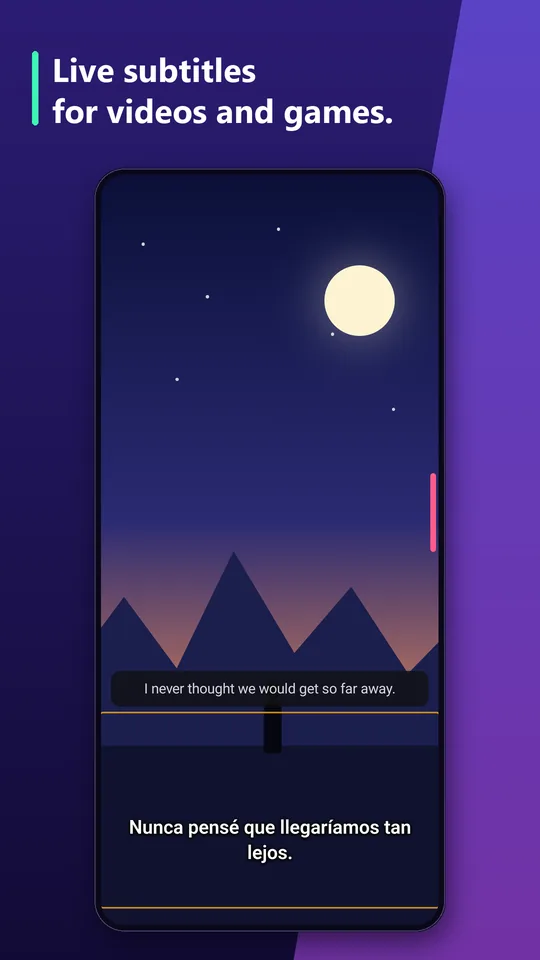
A chosen area is translated again whenever its content changes: video subtitles, game dialogue.
Manga
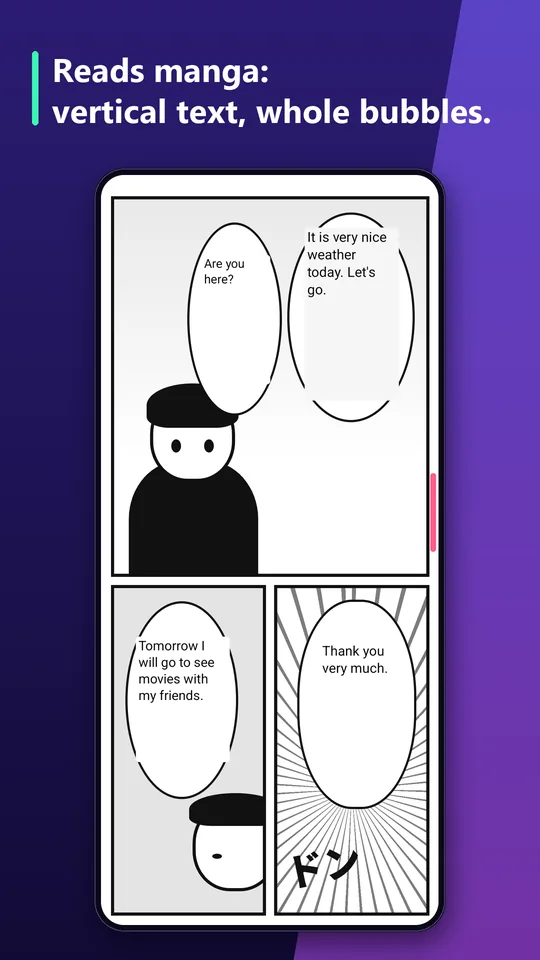
Vertical Japanese and Chinese text is joined into whole speech bubbles.
Offline
59 languages in packs downloaded to the phone. After that no internet is needed.
Exact text from apps
On Android 13 and newer the text is read straight from the app, without recognition errors.
Three result views
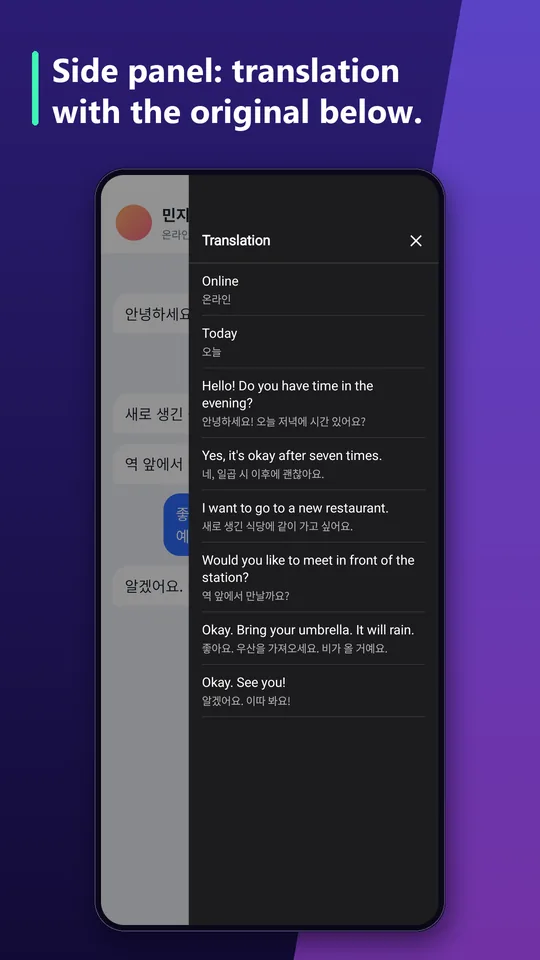
Over the text, in a side panel with the original, or as a list.
History and voice
Translation history, copy, read aloud and share.
Your handle
Left or right edge, adjustable size, position and opacity.
On the screen
What is on your screen stays on your phone.
Processed on the device
Text recognition and translation run on the phone. The screen image and the text are not sent anywhere.
No accounts, no ads
The app has no sign-in, no advertising and no analytics of its own.
Only when you ask
The screen is read at the moment of your gesture. In the mode without recording it is a single screenshot.
Google ML Kit, the library that recognises and translates the text, sends Google diagnostic data such as the device model, system version and performance metrics. It does not include the content of the screen.
Permissions
What the app asks for, and why.
- Display over other apps
- The handle on the edge and the translation overlay.
- Screen sharing or an accessibility service
- Reading the screen for translation. You choose one. The accessibility service works only at the moment of the gesture: it takes a screenshot and reads the text of the app in front. It does not track what you do and performs no actions for you.
- Notifications
- The ongoing notification of the running service, with a "Turn off" action.
- Internet
- Downloading language packs and ML Kit diagnostics.
- Run at startup
- Bringing the handle back after the phone restarts.
- Vibration
- A short signal when the gesture passes its threshold.
Questions
Which apps cannot be translated?
Apps that block screenshots, such as banking apps and some video services. Android gives TranSlide a black image there, so there is nothing to translate.
Does it work without internet?
Yes. You download a language pack once, and after that translation works offline.
How good is the translation?
It is made by a model that runs on the phone. It is good enough to understand a page, a chat or a menu, but it is not as polished as online translators. In return nothing leaves your phone.
Which scripts does it recognise?
Latin, Japanese, Chinese and Korean. The script is detected automatically.
Which Android version do I need?
Android 8.0 or newer. The mode without screen recording needs Android 11, and reading exact text from apps needs Android 13.